How to Find and Fix Orphan Pages Killing Your Website SEO Full Guide
You create valuable content, publish it, and expect search traffic to follow. Instead, the page receives little to no attention. It sits kind of unnoticed, like a library book with no actual catalog record.
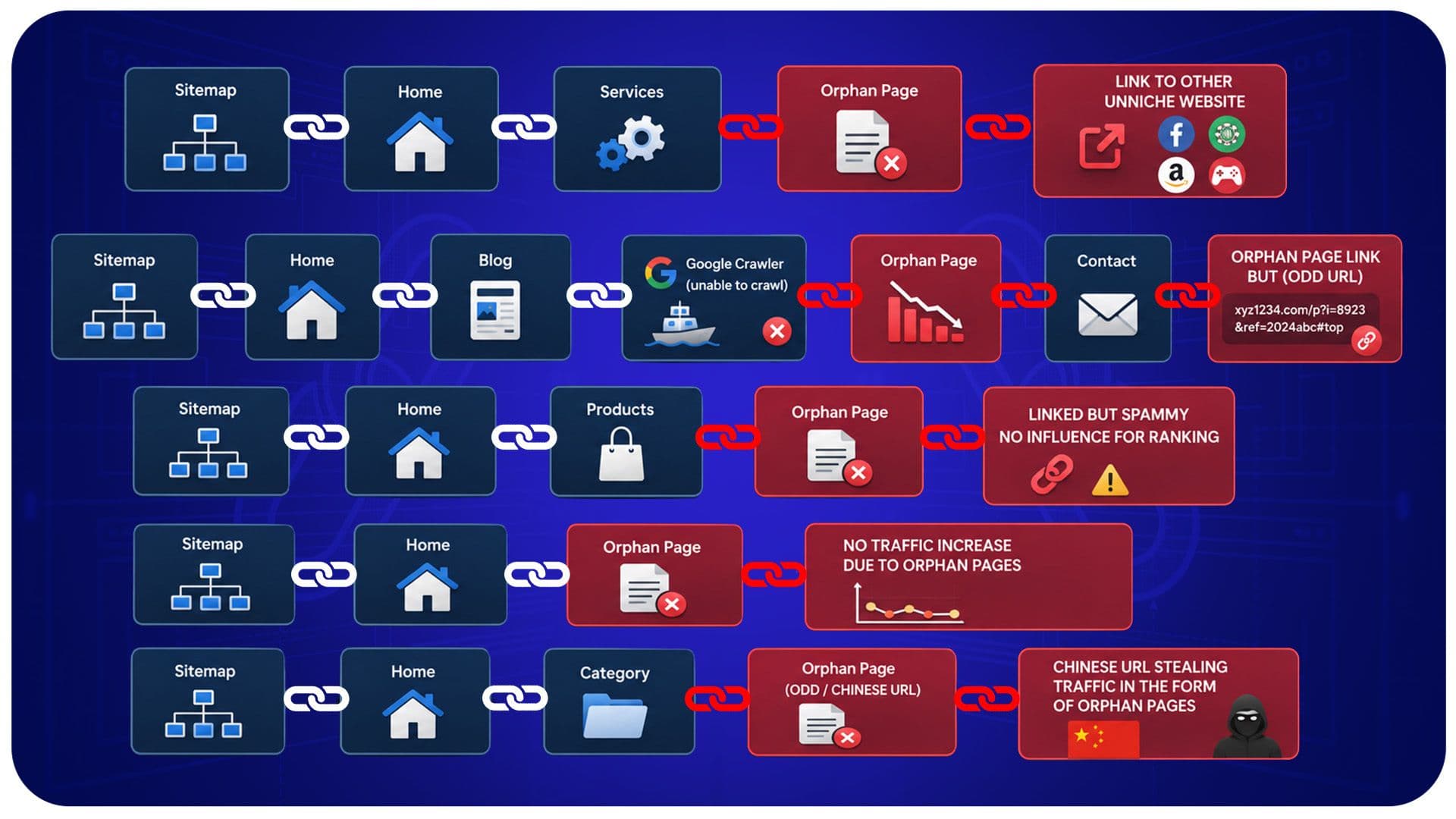
You create valuable content, publish it, and expect search traffic to follow. Instead, the page receives little to no attention. It sits kind of unnoticed, like a library book with no actual catalog record.
That’s basically what an orphan page is. Even if it exists, both users and search engines have a hard time finding it. In other words, it’s there but kinda lost in the crowd, and this guide covers it.
We’ll explain what orphan pages are and why they can mess with rankings. Learn how to find and fix orphan pages killing your website SEO using the right tools.
Key Takeaways
- Pages without internal links are considered orphan pages.
- They waste crawl budget and block ranking potential.
- Use Screaming Frog, Ahrefs, or Semrush to locate them.
- Reconnect them with contextual links, navigation updates, or hub pages.
- Not every orphan page needs saving; some should be removed.
- Quarterly audits prevent new orphan pages from piling up.
What Are Orphan Pages in SEO?
An orphan page is a kind of webpage that has no internal links leading to it from other pages on your website. Even if it is still published or listed inside your sitemap, users and search engines, have no really clean route to reach it.
Because search engines mostly lean on links to crawl through websites, this page stays kinda isolated from the overall structure of your site.
Why Orphan Pages Hurt Your Website SEO?
Crawlers usually find content more like this by staying on trails of links. So, with no internal linking, these orphan pages end up in the dark and get crawled rarely or almost never.
This delays indexing and weakens ranking chances. It also wastes crawl budget on pages Google struggles to reach. Even quality content can struggle if nothing links to it.
Orphan Pages vs Dead End Pages: What's the Difference?
People often mix these two up, but they're opposites in structure.
| Point | Orphan Pages | Dead End Pages |
|---|---|---|
| Definition | No incoming internal links | No outgoing internal links |
| Discovery | Hard for crawlers to find | Easy to find, but leads nowhere |
| User Impact | Visitors can't stumble onto them | Visitors get stuck once they arrive |
| Fix Approach | Add links pointing to the page | Add links leading out of the page |
| SEO Risk | Wasted content, poor crawlability | Higher bounce rate, weak flow |
Common Causes of Orphan Pages
Most orphan pages aren't created on purpose. They slip through the cracks during everyday site work.
- Old posts left behind after a redesign.
- Pages removed from menus but not deleted.
- Campaign pages unlinked once a promotion ends.
- Duplicate or test pages were never cleaned up.
- New pages published without any internal links.
- Category pages lost during a CMS migration.
How to Find Orphan Pages on Your Website?
Finding orphan pages means comparing your full site inventory against your internal link structure. Learn how to do it across popular tools.
Using Google Search Console
Look for uncrawled URLs in the Sitemaps report. This often signals orphaning. Cross check against the coverage report for a fuller picture.
2. Using Google Analytics
Pull every URL that received traffic, then compare it against your internal links. Traffic with no matching internal link is a strong orphan signal.
3. Using Screaming Frog SEO Spider
Perform a full site crawl and review it against your sitemap. If Screaming Frog can't reach a sitemap URL through internal links, it's likely an orphan page.
4. Using Ahrefs Site Audit
Ahrefs flags those orphan pages automatically after a crawl by highlighting the URLs that basically have zero incoming links so you can sift and export that list pretty quickly.
5. Using Semrush Site Audit
Semrush's Site Audit detects orphan pages during a crawl and suggests fixes. Open the internal linking report and review each flagged URL.
6. Using Sitebulb
Sitebulb visualizes your site structure, making isolated pages easy to spot through its hints and link graphs on larger, complex websites.
7. Comparing XML Sitemap with Crawl Data
Export your sitemap URLs and the URLs discovered during your site crawl. Compare both lists side by side, as any mismatched URLs are usually orphan pages.
8. Manual Detection Methods
Click through every menu and category link manually if you have a smaller website. Then compare the collected URLs with your CMS inventory to spot any missing pages.
How to Decide Which Orphan Pages to Fix First?
Some orphan pages matter more than others. Rank them by their value and potential before taking action.
- Traffic history: Pages that once earned organic visits deserve fixing first.
- Backlinks: Pages with external links already carry authority worth reclaiming.
- Business value: Product, service, or conversion pages outrank old blog notes.
- Content quality: Well-written, evergreen content is worth saving over thin pages.
- Search intent match: Pages matching current keyword demand should be prioritized.
How to Fix Orphan Pages?
Now that you have actually found your orphan pages, it is time to somehow reconnect them in the right way with these steps.
FIX 1
Add Relevant Internal Links
Review your website for closely related pages and insert contextual links to the orphan page. Use descriptive anchor text that accurately reflects the linked content.
This helps both readers and search engines understand what to expect before clicking.
FIX 2
Link from High Authority Pages
When you place a link on a page that already ranks well or gets strong traffic, it tends to share useful link equity with the orphan page.
In return, the orphan page often gets crawled sooner and builds authority faster compared to putting that link in some random low traffic spot.
FIX 3
Include Pages in Navigation
If that orphan page is honestly important, add it to your main menu, footer, or maybe a related sidebar.
Having visible navigation links feels like the quickest path so that both people and crawlers will consistently find their way to it.
FIX 4
Add Pages to Topic Clusters
Group the orphan page with related content under a shared theme or pillar page.
This strengthens topical relevance while giving the page multiple new internal linking opportunities within that cluster structure.
FIX 5
Create Hub Pages
Build a central hub or resource page that lists and links to several related orphan pages at once.
Hub pages give search engines a clear, organized path into content that previously had no connections at all.
FIX 6
Update XML Sitemap
Check that each key orphan page appears in your XML sitemap. Clear out outdated or deleted URLs to avoid sending mixed signals.
An accurate sitemap makes it easier for search engines to find priority pages. It steers crawlers away from pages that have been removed.
FIX 7
Request Reindexing in Google Search Console
Once you add those links, take the fixed URL and send it through Search Console’s URL inspection tool, then tap for indexing as well.
This sort of nudges Google to recrawl the page sooner, instead of just sitting around for some routine crawl cycle.
Internal Linking Best Practices to Prevent Orphan Pages
Good linking habits stop orphan pages before they start.
- Link new pages from two to three related pages instantly.
- Use descriptive anchor text, not generic phrases.
- Review menus after every redesign or migration.
- Build pillar and cluster structures for key topics.
- Track published URLs in a content inventory sheet.
Common Orphan Page Mistakes to Avoid
A few habits quietly create more orphan pages than people realize.
- Deleting links without checking dependent pages.
- Assuming sitemap listing guarantees crawlability.
- Publishing pages with zero internal links.
- Ignoring Analytics traffic on unlinked URLs.
- Skipping link checks after migrations.
Orphan Page Audit Checklist
Running a consistent audit keeps your site structure healthy over time.
- Use a crawler tool to map every page you link to internally.
- Then export your sitemap, and compare the submitted URLs to what you actually found in the crawl results.
- Check Analytics to identify where traffic is landing on pages that aren’t in your internal link map.
- Rank orphan pages by traffic, backlinks, and overall value.
- Then restore their visibility with contextual links, navigation updates, or hub pages.
- Request reindexing for every page you've fixed.
Conclusion
Orphan pages don't announce themselves. They just quietly exist, disconnected, while your rankings and crawl budget take the hit.
The good news is that learning how to find and fix orphan pages killing your website SEO follows a fairly simple, repeatable path.
First, crawl your site, then compare the info, afterward decide which pages matter most, and re-create the absent internal links.
If you do it the same way, again and again, all those pages you put real effort into finally get the attention they deserve.

Usama Shareef
Usama Shareef is the COO of Mahraj Technologies, bringing strong expertise in SEO content writing, software QA, and development testing. He specializes in delivering high-quality digital solutions with a focus on performance, accuracy, and scalable growth